Posted in Uncategorized

Library Grand Opening/Book Fair

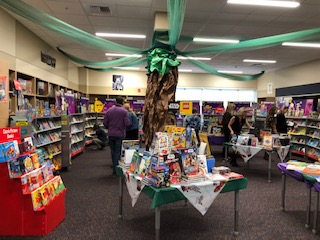
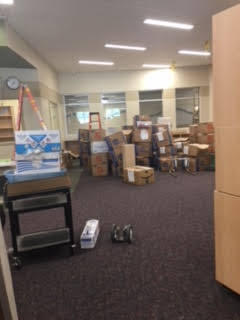
It has been a whirlwind of shelving, adjusting, hosting and participating in grand openings, open houses, and this week, the first Book Fair in our new building! This Fall’s theme is Enchanted Forest, which lends itself naturally to reading as it focuses on fantastical imagination. Our super-volunteers, Midway parents Mary Peterson and Angela Wolverton spent multiple hours on sparkly and adorable, gnome and toadstool-themed decor. PTO members and fellow super mom and super volunteers Kelsey Soukup and Karissa Naslund created a huge antique book (yes those are authentic tea-stained pages!) for the photo booth backdrop.) The students really want to keep the paper tree and benches out, but I suppose we have to eventually set up my classroom again….


MIND-BLOWING NEW LIBRARY

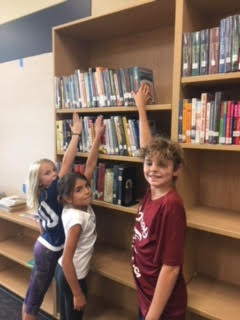
I am spending today (my only day away from the new library since the doors were opened last week) so that I can figure out WHAT I’m going to teach, rather than obsessing about WHERE and HOW. It will be so amazing, but here are some realities that were different than I thought they would be! You will need to either grow another foot OR use the footstools we will be providing in order to access the fiction books on the top shelf. First, we tried to move the shelves down, but there was so much wasted space and we thought it would be more dangerous to trip over books than to stretch to reach them.

too tall
Ummm. About that top shelf…
libraryb45
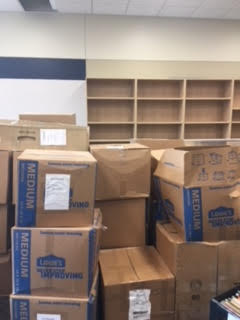
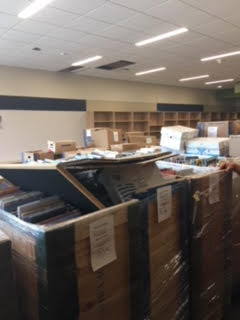
We have sooooo much storage
library b43
Wait. Are these in order?!
libraryb42
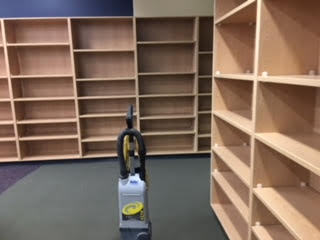
Day 2 of move in
libraryb41
Day one of move in

We will have painstakingly specific, nitpicky rules and practice regarding these stepstools!!

We will have access to a STEM area for group work, which will give you access not only to traditional maker tools like Keva Planks, Strawbees, and Lego, but also to old favorite robots like Ozobots and Finch, but also Dash & Dot! We will have brand new Chromebooks and a classroom set of iPads to expand your capacity to explore and create. We will also have books about Stop Gap animation. Why else have thousands of lego mini figures?!

I absolutely would not have had this library as ready as it is without the rock star library paras from our crosstown buddy schools, Brentwood, Colbert, Meadow Ridge, Mountainside and Prairie View. Your expertise was vital! Becky Swenson, Gaylene Johnson and Mary Lawson spent three days each!!!

See you next week. I can’t reveal any more. I have a lot more work to do….

~Mrs. Rossi

Posted in graphic design, Makerspace, STEM, Trending technology

I Can’t WAIT for you to CHECK OUT…

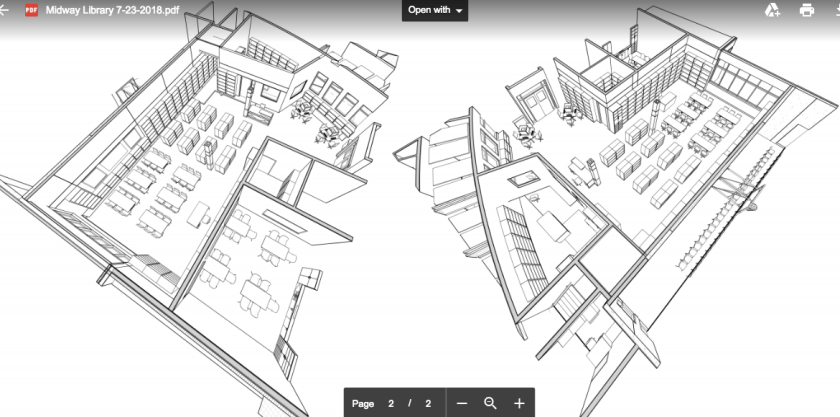
…the new library media center at Midway. It will be, as I believe all school libraries should be, at the CENTER of the new beautiful school. And it will also be a center for creativity and discovery.

In addition to having a FULL library collection, we will have brand new maker space tools, technology, access to apps and NEW CHROMEBOOKS.  Great things come to those who wait, and we have been!

Here are photos of Mr. Westermann’s most recent foray inside the construction zone in mid July ’18. Although things look unfinished, they are making great progress everyday and have promised I can get inside by August 24. I will spend many, many hours making it perfect for all of you! Never have I been this excited to start school. I’m including when I was a student!!! Also new this year, hour-long library slots for 3rd-6th graders.


Big changes and big adventures for us in 2018-2019, Sharks!


Posted in Digital Citizenship

Digital Citizenship Begins Now!

This week we will be venturing into Chromebook sign-in. This is a very grown-up concept for first graders, because signing in with their usernames and passwords is number and letter-focused task that isn’t correlated AT ALL with ABC order. Further complicating the process is that first graders are so proud to type the letters of their first name, not the first four of their last name with some random digits. What’s WONDERFUL this year is that we now have the “@mead354.org” is already auto-filled. So I don’t have to teach “SHIFT 2” for @. It is a fantastic development, trust me. Once they get the hang of it, the students are so excited to have access to their own Gmail account, even though we won’t be using it for a few years. 🙂 We will begin, with K and 1st graders, with lessons on going on using the internet safely.

https://www.commonsense.org/education/lesson/going-places-safely-k-2

for K-2, I use the Commonsense Media Digital Citizenship lessons, which begin with the basics of treating people well in person and online and not answering questions about personal information. I will also touch on whether or not websites are reliable in second grade, but not much beyond that. I will also send home a few family activities which I will encourage you to complete with your students. Here is an introduction about WHY we teach the Digital Citizenship curriclum, from the website, http://www.commonsensemedia.org Consider it MY pitch! (But appreciate that I am citing my source which is a vital part of being a good digital citizen!)

The digital world that our kids are learning and growing up in is incredibly exciting. Through technology, kids have access to new tools, to an incredible range of resources, and to stimulating opportunities to participate in novel ways. At the same time, parenting kids who are immersed in so many different technologies and apps can be daunting. I know our school is already working to make sure students cultivate the 21st-century skills they need. I’m writing to communicate my interest in and enthusiasm for bringing parents into the conversation about kids’ digital lives. I believe that a joint effort between parents and teachers is a valuable way to more fully supporting the students and families in our community. I encourage you to take a look at a free new program from Common Sense Education. Common Sense is a nationally recognized, nonpartisan, nonprofit organization. It is a trustworthy, leading resource for both schools and families. Their new program, Connecting Families, is a free program with a collection of resources that are designed to help schools engage families in the important challenges and choices kids face online. The resources include guides for different types of community events, as well as field-tested content to use in those events. The program provides a direct way for schools to respond to parents’ appetite for high-quality resources about kids’ digital lives. It also offers an opportunity to bring parents and caretakers together at school and strengthen the home-school connection. In this way, the program would amplify and build on our school’s existing efforts. One aspect of the program is a series of parent discussions with “Conversation Cases” on hot topics, including

• body image • cyberbullying • digital footprints • privacy • distraction, multitasking, and time management 

Each includes a case study for the group to review together, a set of discussion questions, and take-home resources. The content promotes communication and empowers parents to guide their kids to be safe, responsible, and respectful participants in a digital world. I think Connecting Families is a valuable program for our community.”

While this creates a context for why I’m teaching, I won’t be using every aspect of the curriculum; there are several great resources

cropped-cropped-school-library-word-cloud.png

I’ll be drawing from.

Here’s some of my favorites!

http://www.teachinctrl.org/videos/yourdigitalfootprint-student.php
https://www.brainpop.com/technology/freemovies/digitaletiquette/

https://sites.google.com/a/lsr7.net/lsr7its/digital-citizenship/students

https://vimeo.com/6709512 

Digital Safety website: educational games

www.sos.fbi.gov

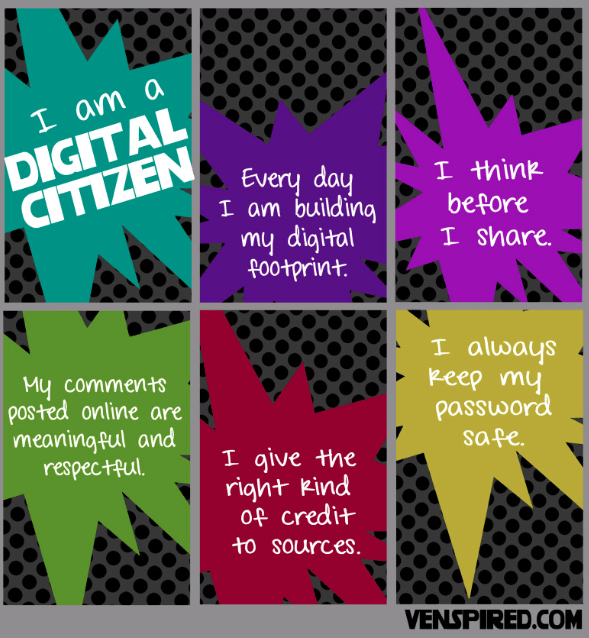
My favorite Digital Citizenship handout: THINK

http://www.technologyrocksseriously.com/2014/10/before-you-post-think.html#.ViPHvxCrTxt source: technologyrocksseriously.com

Student Interactive writing tools

http://www.readwritethink.org/classroom-resources/student-interactives/

Fabulous short films

http://www.educatorstechnology.com/2015/10/top-10-rsa-animated-videos-for-teachers.html


Posted in Grit, perserverance, traditional topics, non-traditional teaching

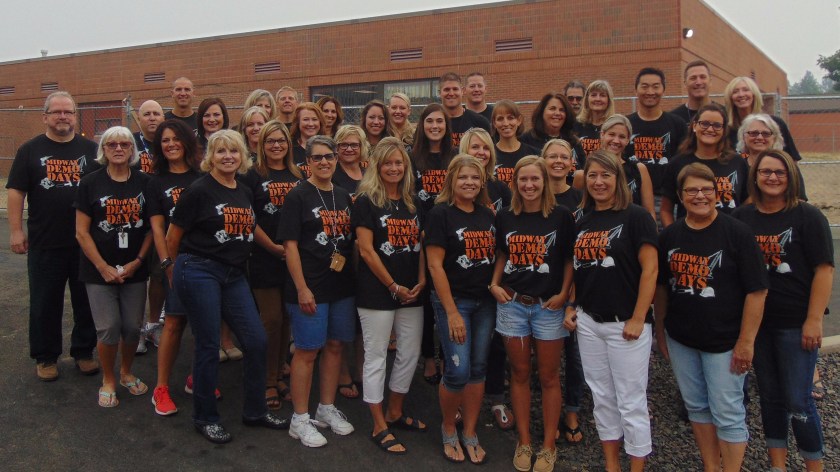
Midway Demo Days

Screen Shot 2017-09-08 at 4.25.54 PMMidway is being remodeled, so I’d estimate 1/3 of the building will be torn out and under construction (rotating through end of year) which means no A/C. We aren’t the only school dealing with old buildings and no A/C. My daughters have come home each day flushed and sweaty after a day in their stiflingly hot middle school on Spokane’s South Hill.
Our construction crew (yes, they are OURS. A long term gig, an open invite to coffee in their trailer. For real) is working with creative air flow recirculation strategies but because of horrid air, we can’t use cool air from outside. There has been no outdoor recess or PE, and will be no gym, (until January) and no library (I run around to different classrooms to teach.) The teachers and students, (with the exception of the temporary portable classrooms which are new and have A/C) are wilting. 

They manage to stay engaged and do what they are told and when it’s my turn to teach them I’ve been telling them:  “Look. You’ll hear of other students across the city with their ‘cool learning spaces’ and their ‘gymnasiums’ and ‘librarians who let them check out books,’ their *dry clothes* but you will have SO MUCH MORE CHARACTER. When life doesn’t work out and you are slapped with broken promises and plans it will all just ROLL OFF YOU because you will have had THIS YEAR. You are learning to have GRIT!” 

Screen Shot 2017-09-09 at 12.28.56 PM

That many of us were actually covered in physical grit is beside the point.
I sincerely hope our air will calm down, for so many reasons, but I remain dazzled by the workability we’ve created. 

Also, in library news, I’ve taught students to place holds, but given the circumstances of the library/music room, it could take a while to dig out your books from crowded, covered shelves, or the storage unit outside. You’ll need to be patient about that too!

DSC00501
Our teaching crew on the last morning of the first day of school. We aren’t sweating yet!!! Look how fresh we are!


Posted in Coding, Trending technology

Robot Coding

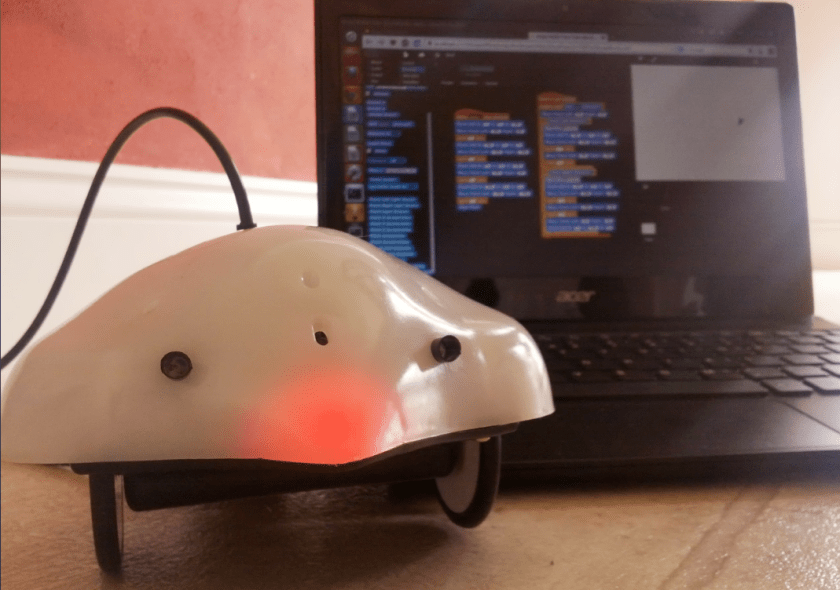
A tech expert/future trend guy was being interviewed (on CNN’s GPS with Fareed Zakaria, to be exact) and said that 65% of jobs that children will have in the future DON’T EXIST YET and that learning how to do computer coding will qualify them for these jobs. It stuck with me. It is with this context in mind that the students at both Colbert and Midway embarked on learning how to create command patterns for the adorable non-gender, non-species specific FINCH ROBOTS. They worked in teams “professionally taking turns” with different challenges; like programming the finch to turn in different directions, turn different colors, etc. Next level will be commanding it to talk.

For the full skinny on the Finch, which was developed by Computer Science (CREATE program) students at Carnegie Mellon University, see their website:

http://www.finchrobot.com/

The kids are loving it..and learning NOT to drag or pull on the $100 devices we are BORROWING. If your kids love it, let the district know! We are piloting the program here.

Next, ozobots!!

#coding, #robotics


Posted in Awesome Apps, Best Books

Newbery and Kahoot!

We’ve been spending this literature award season (Yes, it’s award season in libraries just like in Hollywood, but authors don’t tend to have glamorous parties to celebrate their achievements.) We focused on the 2015 Newbery winner, Kwame Alexander’s Crossover.crossover

In the primary grades, we talked about the most recent Caldecott winner ( The Adventures of Beekle, the Unimaginary Friend) and I explained to everyone that generally only intermediate grades get to enjoy the Newbery winners, as they are chapter books or err on the side of YA, since this is the kind of breadth necessary  to deliver the kind of emotional and social goals the Newbery committee has for its nominated books. But then, BOOM! The Newbery committee, in a major shift from their normal MO, selected a picture book as the 2016 Newbery winner. What?!

The Last Stop On Market Street, by Matt de la Peña~ the first Latino Newbery winner, btw~ is a lovely book, but honestly, it’s no Giver or Tale of Despeareaux. Still it’s worth having in any collection. It was also a Caldecott Honor book, thanks to Christian Robonson’s sweet illustrations.  Here’s the publisher’s synopsis: last stop“Every Sunday after church, CJ and his grandma ride the bus across town. But today, CJ wonders why they don’t own a car like his friend Colby. Why doesn’t he have an iPod like the boys on the bus? How come they always have to get off in the dirty part of town? Each question is met with an encouraging answer from grandma, who helps him see the beauty—and fun—in their routine and the world around them.” But what excited the kids more than any reading or historical lesson (I know, shocker) was the quiz i gave them  through an interactive platform called “KAHOOT IT” I took nine questions and they raced aganist each other to choose the best answer. It was such a loud success that I honestly don’t know if I can play it in library. It sets a very high volume precedent which is hard to bounce back from. You need other players to try it out, but you totally should. Start at https://play.kahoot.it/Screenshot 2016-01-17 16.38.24
Posted in Coding, programming, Trending technology

No, we’re not PLAYING Minecraft, we’re PROGRAMMING it!

“Coding describes a wide range of behaviors in which we solve a problem by writing procedural steps for a person, computer, or machine to follow.”

~ Chad Sansing

Sansing’s quote is from an article of the urgency of teaching what is commonly being referred to as the “language oft he future” For people who have any job in technology, this has been a language for a very long time.

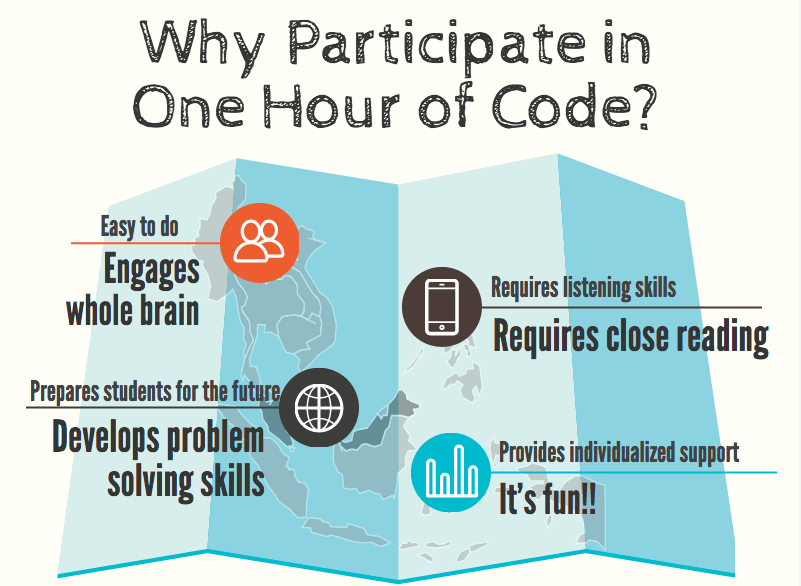
But for Mead elementary students (all the LITS are offering “Hour of Code” programming this week –in honor and participation of International–Computer Science Week) it’s a time to program a game they love to play: Minecraft.

Hour of Code promotional video

My friend Joy made this pictogram: I like it. Whenever I made a pictochart/pictogram it looks like my crowded scrapbook pages (when I had time to scrapbook) Anyway, the kids love it, and nearly everyone experienced success and engagement and none of this means I prefer coding to READING, you dig? There’s a place for everything in the library, though!

Screen Shot 2015-12-09 at 12.45.31 PM


Posted in Uncategorized

BOOK FAIR IS COMING THIS WEEK!!!

To get excited about the books available at the upcoming Colbert Book Fair, (starting this Monday, November 23, and continuing after Thanksgiving Break, thanks to the advocacy of PTO president Tami Dillon and the generosity of Scholastic, to give our families more time to shop..the five days without power put all things like this on hold! So now that we (hopefully?)  all have power, Please take time to watch these wonderful book trailers presented by the authors and illustrators themselves!

http://www.scholastic.com/bookfairs/books/book-trailers

Also, please watch this beautiful little film that talks about the vital opportunities for reading and development that are made available by book fairs, Feel good about purchase you make, and the contribution they are to your children’s lifelong relationship with reading.

https://www.facebook.com/ScholasticBookFairs/videos/10152888378215522/?video_source=pages_finch_trailer
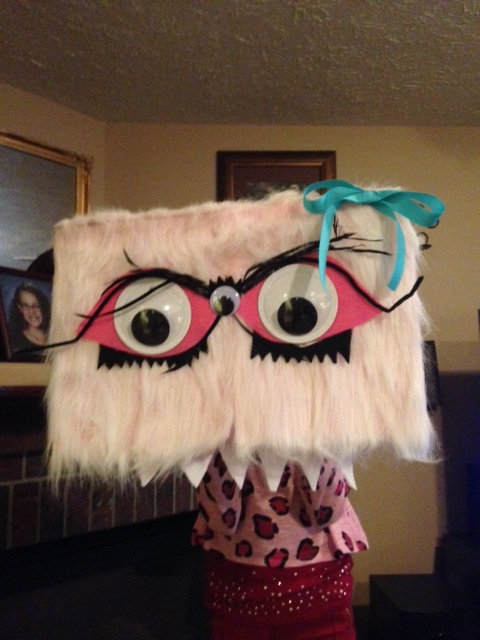
There will also be a chance to donate books to Colbert families who may not be able to spare as much extra funding.. in keeping with this fair’s theme “MONSTERS” you’ll be able to place the gifted books into the mouth of a “book eating monster”

betha
Ok well this is how Bertha the book eater looked on my daughter’s head. She will look different attached to whichever mechanism her body will be. 🙂


Posted in traditional topics, non-traditional teaching

Old media and new media!!

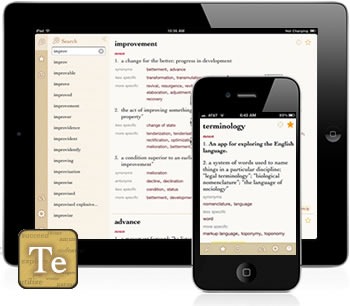
I loved this week of further developing our writing in the “spooky” stories we started last week. And without my telling him, a fourth grader went and grabbed a dictionary both for word meanings and spelling! I can not tell you the levels of joy this brought me! And third graders going through frustrating learning curves (really?! Three capcha codes!?) to access their gmail accounts and write me notes!? They were so proud.

IMG_2528.JPG
L

Continue reading “Old media and new media!!”