
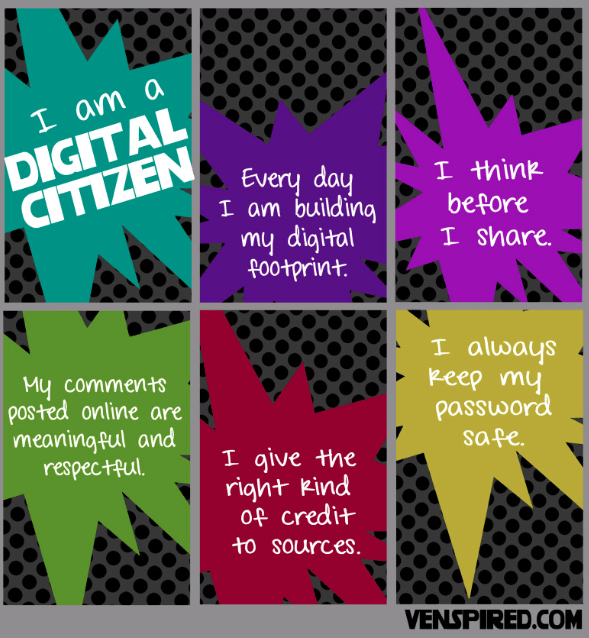
This week we will be venturing into Chromebook sign-in. This is a very grown-up concept for first graders, because signing in with their usernames and passwords is number and letter-focused task that isn’t correlated AT ALL with ABC order. Further complicating the process is that first graders are so proud to type the letters of their first name, not the first four of their last name with some random digits. What’s WONDERFUL this year is that we now have the “@mead354.org” is already auto-filled. So I don’t have to teach “SHIFT 2” for @. It is a fantastic development, trust me. Once they get the hang of it, the students are so excited to have access to their own Gmail account, even though we won’t be using it for a few years. 🙂 We will begin, with K and 1st graders, with lessons on going on using the internet safely.
https://www.commonsense.org/education/lesson/going-places-safely-k-2
for K-2, I use the Commonsense Media Digital Citizenship lessons, which begin with the basics of treating people well in person and online and not answering questions about personal information. I will also touch on whether or not websites are reliable in second grade, but not much beyond that. I will also send home a few family activities which I will encourage you to complete with your students. Here is an introduction about WHY we teach the Digital Citizenship curriclum, from the website, http://www.commonsensemedia.org Consider it MY pitch! (But appreciate that I am citing my source which is a vital part of being a good digital citizen!)
The digital world that our kids are learning and growing up in is incredibly exciting. Through technology, kids have access to new tools, to an incredible range of resources, and to stimulating opportunities to participate in novel ways. At the same time, parenting kids who are immersed in so many different technologies and apps can be daunting. I know our school is already working to make sure students cultivate the 21st-century skills they need. I’m writing to communicate my interest in and enthusiasm for bringing parents into the conversation about kids’ digital lives. I believe that a joint effort between parents and teachers is a valuable way to more fully supporting the students and families in our community. I encourage you to take a look at a free new program from Common Sense Education. Common Sense is a nationally recognized, nonpartisan, nonprofit organization. It is a trustworthy, leading resource for both schools and families. Their new program, Connecting Families, is a free program with a collection of resources that are designed to help schools engage families in the important challenges and choices kids face online. The resources include guides for different types of community events, as well as field-tested content to use in those events. The program provides a direct way for schools to respond to parents’ appetite for high-quality resources about kids’ digital lives. It also offers an opportunity to bring parents and caretakers together at school and strengthen the home-school connection. In this way, the program would amplify and build on our school’s existing efforts. One aspect of the program is a series of parent discussions with “Conversation Cases” on hot topics, including
• body image • cyberbullying • digital footprints • privacy • distraction, multitasking, and time management
Each includes a case study for the group to review together, a set of discussion questions, and take-home resources. The content promotes communication and empowers parents to guide their kids to be safe, responsible, and respectful participants in a digital world. I think Connecting Families is a valuable program for our community.”
While this creates a context for why I’m teaching, I won’t be using every aspect of the curriculum; there are several great resources
I’ll be drawing from.
Here’s some of my favorites!
http://www.teachinctrl.org/videos/yourdigitalfootprint-student.php
https://www.brainpop.com/technology/freemovies/digitaletiquette/
https://sites.google.com/a/lsr7.net/lsr7its/digital-citizenship/students
Digital Safety website: educational games
My favorite Digital Citizenship handout: THINK
http://www.technologyrocksseriously.com/2014/10/before-you-post-think.html#.ViPHvxCrTxt source: technologyrocksseriously.com
Student Interactive writing tools
http://www.readwritethink.org/classroom-resources/student-interactives/
Fabulous short films
http://www.educatorstechnology.com/2015/10/top-10-rsa-animated-videos-for-teachers.html

 Mrs. Rossi's Library Tech Page!